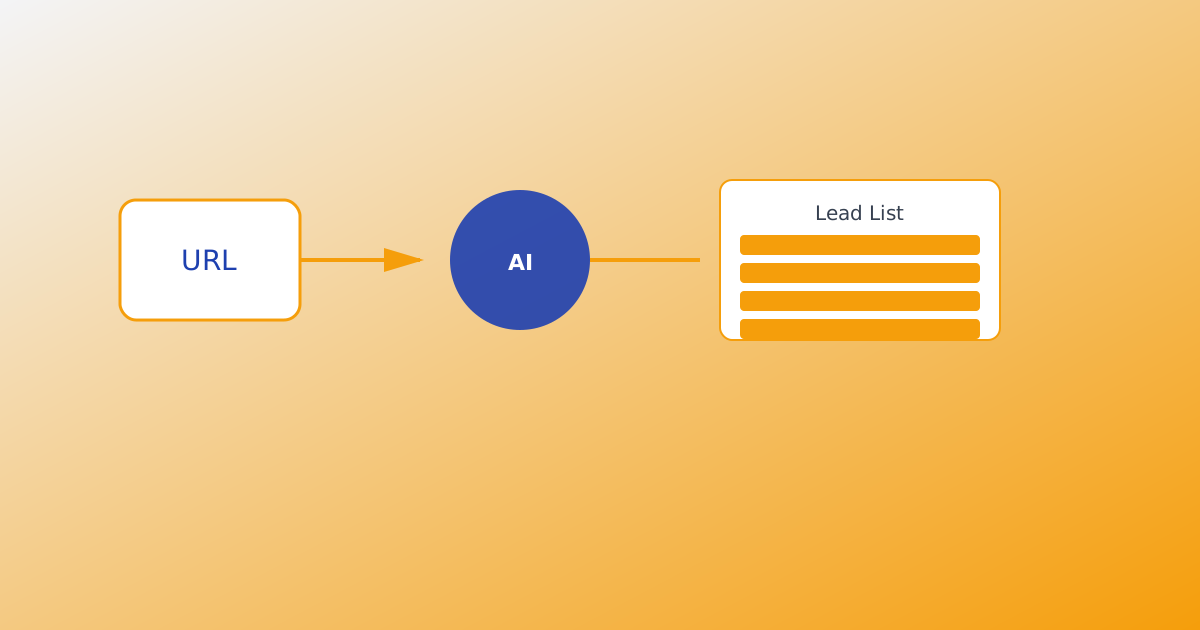
Voice input for product intel lets you dictate your product story in Chrome or Edge instead of typing long pitches — then feed that transcript into Analyze on MailShrine AI Email Lead Generator alongside URL, text, and document uploads. Strong intel keeps 25 AI agents on-ICP during live harvest.
Voice is one of four intel inputs. Full overview: Product Intel from URL, Text & Documents. Category intro: What Is an AI Email Lead Generator?.
Real-life example: Terra Kitchen
Diego runs a meal-kit brand for busy parents. He thinks faster than he types and his best positioning comes out in conversation, not on the sparse terrakitchen.co homepage.
Diego’s voice workflow:
- Open product intel in Chrome.
- Dictate 90 seconds: who buys, pain points, differentiators.
- Add URL + one PDF menu sheet.
- Analyze → edit → start harvest with parent-audience keywords.
When voice beats typing
| Situation | Voice advantage |
|---|---|
| Founder on mobile | Hands-free intel capture |
| Verbal storyteller | Tone and phrases match sales calls |
| Sparse website | Narrative fills gaps URL crawl misses |
| Fast iteration | Re-dictate after customer interviews |
Voice complements — does not replace — URL and documents. Combine all three for best Analyze output.
What you need before you start
| Item | Why you need it |
|---|---|
| Chrome or Edge | Browser speech recognition for dictation |
| Microphone | Built-in or headset — quiet room helps |
| MailShrine account | Sign in — same suite login |
| Outline (optional) | 3 bullets so dictation stays on-message |
Step 1: Prepare a 60–120 second outline
Before mic on, jot three prompts:
- Who buys — role, situation, geography if relevant.
- Problem — what they struggle with today.
- Your offer — outcome, not feature laundry list.
Example for Terra Kitchen: “Busy dual-income parents who skip meal planning → weekly kits with 20-min recipes → saves Sunday prep time.”
Align with Ideal Customer Profile for Email Leads.
Step 2: Dictate into product intel
- Open Generate → product intel section.
- Click the voice / dictation control (Chrome or Edge).
- Speak clearly at normal pace — pause between sections.
- Review transcript; fix misheard product names manually.
Do not dictate confidential data you would not paste into a CRM note.
Step 3: Combine voice with URL and documents
| Layer | Diego’s stack |
|---|---|
| Voice | Parent pain + brand story |
| URL | terrakitchen.co crawl |
| Seasonal menu one-pager |
Click Analyze once all inputs are in. The model merges voice narrative with crawl and doc text into one summary.
Step 4: Edit Analyze output before harvest
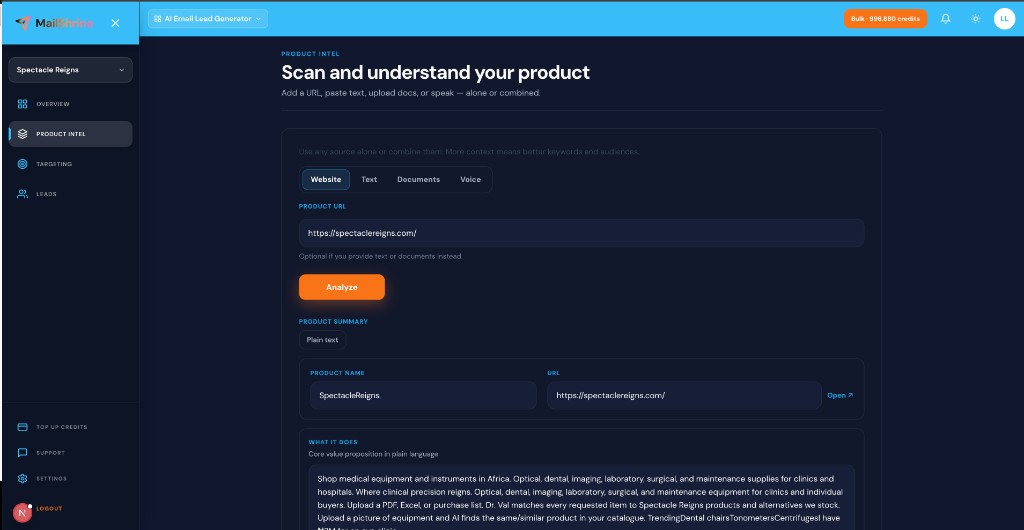
Voice transcripts can be rambling. Tighten:
- Summary — one clear category sentence.
- Audiences — specific chips (“working parents in US suburbs”).
- Keywords — how buyers search, not “Terra Kitchen” only.
Then set email target — Email Target Delivery Explained — and start agents: AI Agents for Lead Generation.
Step 5: Re-dictate after customer calls
Intel is not one-and-done. After sales calls or launches:
- Dictate new phrases customers used.
- Re-analyze or append to text intel.
- New harvest run with updated keywords.
Live harvest stays fresh; see Live Harvest vs Static Lead Databases.
Diego’s finished plan (checklist)
- 90-second voice dictation capturedCompleted
- URL + menu PDF addedCompleted
- Analyze output edited — parent keywords, not generic “food”Completed
- Harvest 150 emails with inbox CSV deliveryCompleted
- Export via Export Leads: CSV, Excel & EmailNot completed
Common mistakes to avoid
- Rambling 10-minute monologue — stick to 60–120 seconds, then refine.
- Skipping transcript review — misheard words break keywords.
- Voice only, no URL — combine inputs when possible.
- Starting harvest before Analyze — transcript is raw until processed.
- Dictating in noisy environments — garbled intel → off-ICP harvest.
Check your work
- Does transcript capture buyer pain in their words?
- Did you fix product name and URL mishears?
- Did you run Analyze after dictation?
- Are keywords category-intent, not transcript filler?
Frequently asked questions
Which browsers support voice intel?
Chrome and Edge on desktop support dictation for product intel. Use typed text on unsupported browsers.
Is voice stored separately?
Voice becomes part of your workspace intel text after dictation — same as pasted notes.
Can I dictate in languages other than English?
Accuracy depends on browser speech models. Review transcript carefully for non-English dictation.
Does voice replace the URL workflow?
No. Fastest path is often URL + voice. See Product URL to Lead List Workflow.
Next steps
- Product Intel from URL, Text & Documents — all intel inputs.
- How AI Lead Generation Works — voice in the pipeline.
- Ideal Customer Profile for Email Leads — sharpen audiences after dictation.
Citations & References
- Reference: W3C: Web Speech API
- Reference: Google Chrome accessibility: Dictation
Written by Chloe A., Voice & Accessibility UX Writer. Chloe helps founders capture positioning by speech when typing blocks momentum.