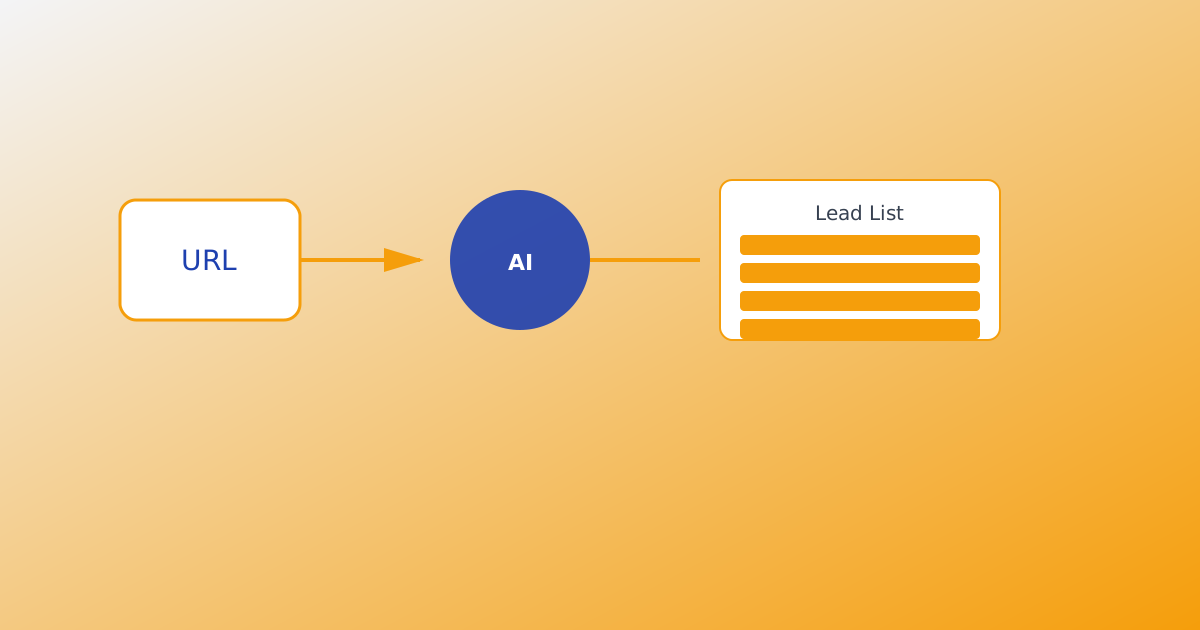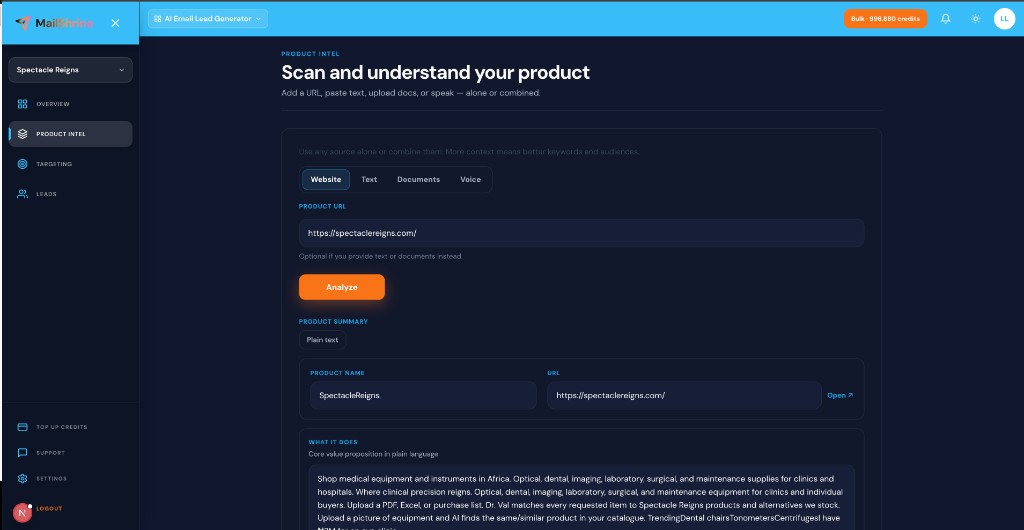
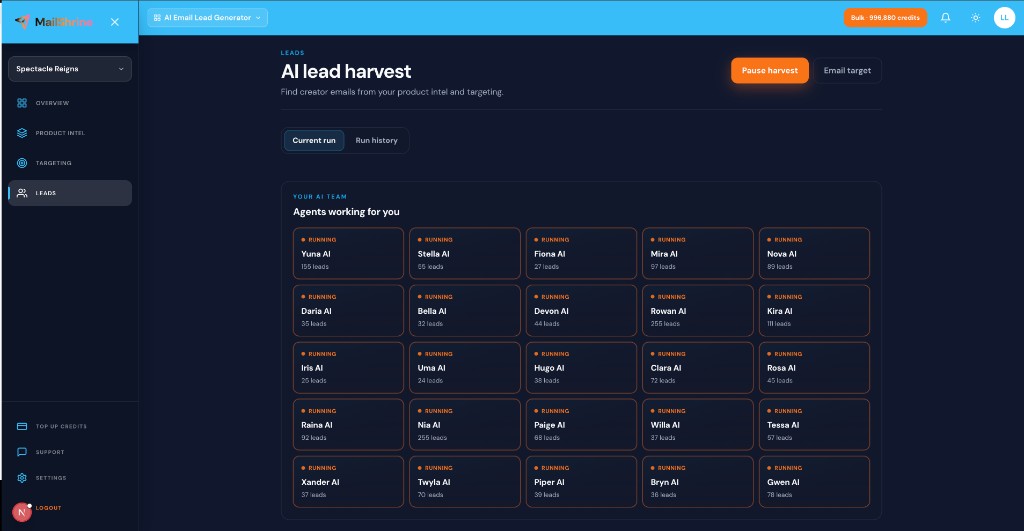
AI agents for lead generation are autonomous workers that search live activity trails in parallel, discover business contact details that match your product intel, and save them to your run — while you set targets and walk away. On MailShrine AI Email Lead Generator, you get 25 named agents (Yuna AI, Stella AI, Gwen AI, and 22 more) instead of one slow scraper or a static database export.
New to the product? Read What Is an AI Email Lead Generator? first. For the full pipeline, see How AI Lead Generation Works.
Real-life example: Harbor HR
Jon sells HR compliance checklists to remote-first startups. One browser tab scraping LinkedIn bios took hours and missed creators discussing async hiring on YouTube and newsletters.
Jon’s agent setup:
- Load product intel from his landing URL.
- Start harvest — watch 25 agents move from Ready → Running.
- Pause at lunch, resume after a credit top-up.
- Hit email target 350; Excel arrives in inbox.
Agent team vs other approaches
| Approach | How it works | Freshness | Parallelism |
|---|---|---|---|
| Manual research | You copy emails one by one | High effort | One human |
| Static database | Pre-scraped warehouse | Often stale | N/A |
| Single scraper | One bot, one trail | Medium | Sequential |
| 25-agent live harvest (MailShrine) | Named agents on live trails | Tied to current activity | Parallel |
Agents follow your intel and keywords — not a generic “all SaaS founders” filter. Compare Live Harvest vs Static Lead Databases.
What you need before you start
| Item | Why you need it |
|---|---|
| Product intel | Agents need context before search. Product Intel from URL, Text & Documents. |
| Targeting | Audience chips + category keywords. Ideal Customer Profile for Email Leads. |
| Email target | Optional cap + inbox delivery. Email Target Delivery Explained. |
| Lead credits | 1 credit = 1 newly saved email. |
Step 1: Understand what each agent does (conceptually)
You do not micromanage 25 bots individually. MailShrine assigns agents to parallel harvest lanes aligned with your intel:
| Concept | Plain meaning |
|---|---|
| Agent | Named worker with status and lead count |
| Trail | Live public activity matching keywords |
| Save | Email committed to your run (uses credit) |
| Run | One harvest session with history |
Platforms stay behind the scenes. You see agent brands and results — readable status, not raw scraper labels.
Step 2: Start harvest and read the agent dashboard
After targeting, click Start harvest. The dashboard shows:
- Per-agent status — Ready, Running, Paused, Done.
- Lead counts — emails saved per agent.
- Run totals — progress toward email target.
- Controls — Pause, resume, view history.
Set email target first if you want automatic pause + inbox file at goal.
Step 3: Pause, resume, and credit behavior
| Event | What happens |
|---|---|
| You pause | All agents stop; state preserved |
| You resume | Agents continue same run |
| Credits hit zero | Harvest pauses until top-up |
| Email target met | Harvest pauses; optional inbox export |
Credits never expire — buy packs when needed. Harvest does not silently burn credits in the background after target or zero balance.
Step 4: Review run history and re-export
Every run is stored in run history:
- Open a past run.
- Compare agent contributions and total emails.
- Re-download CSV or request format from Export Leads: CSV, Excel & Email.
Use history to refine keywords for the next run — double down on agents that found on-ICP rows.
Step 5: Hand off to the MailShrine suite
Agents produce the list; you produce the campaign:
- Export or receive inbox Excel.
- Sanitize with Email Sanitization.
- Send from MailShrine Email Marketing via Business Email.
Same login across products — no export-and-reimport across unrelated tools.
Jon’s finished plan (checklist)
- Product intel loaded from Harbor HR URLCompleted
- Remote-startup HR keywords and audiences setCompleted
- 25 agents started — parallel harvest runningCompleted
- Paused once for credit top-up, resumed successfullyCompleted
- Email target 350 met — Excel in inboxNot completed
- List sanitized and first sequence draftedNot completed
Common mistakes to avoid
- Starting agents without Analyze — blind search wastes credits.
- Expecting agents to verify SMTP — sanitize before bulk send separately.
- Ignoring run history — best keywords are visible in what worked last run.
- One brand keyword — agents need category search terms.
- Leaving no email target — run continues until manual stop or credits out.
Check your work
- Are all agents showing Running or Done (not stuck at Ready)?
- Did you set product intel and ICP before start?
- Is progress moving toward your email target?
- Do you know pause/resume and credit pause behavior?
Frequently asked questions
Do I configure each of the 25 agents manually?
No. MailShrine orchestrates parallel lanes from your intel and targeting. You monitor status and counts — not per-agent scripts.
Why named agents instead of one “scraper”?
Parallel named workers cover more trails faster and give readable run history. You see which lanes produced leads.
Can agents run while I am offline?
Yes. Enable email target + inbox delivery and close the tab. Harvest pauses at target or zero credits.
How is this different from ChatGPT for leads?
ChatGPT does not run live prospecting for your outreach list into an exportable run with credits, history, and suite integration. MailShrine agents are purpose-built for saved lead rows, not chat answers.
Next steps
- How AI Lead Generation Works — full pipeline.
- Live Harvest vs Static Lead Databases — why agents use live trails.
- Product URL to Lead List Workflow — quickest start path.
Citations & References
- Reference: NIST: Artificial Intelligence Risk Management Framework
- Reference: CAN-SPAM Act compliance basics
Written by Daniel K., AI Automation Strategist. Daniel explains parallel agent harvest to teams replacing single-threaded prospecting scripts.